The workflow
Aux (helpers)
Utilities to prepare data and speed up processing. No cost output.
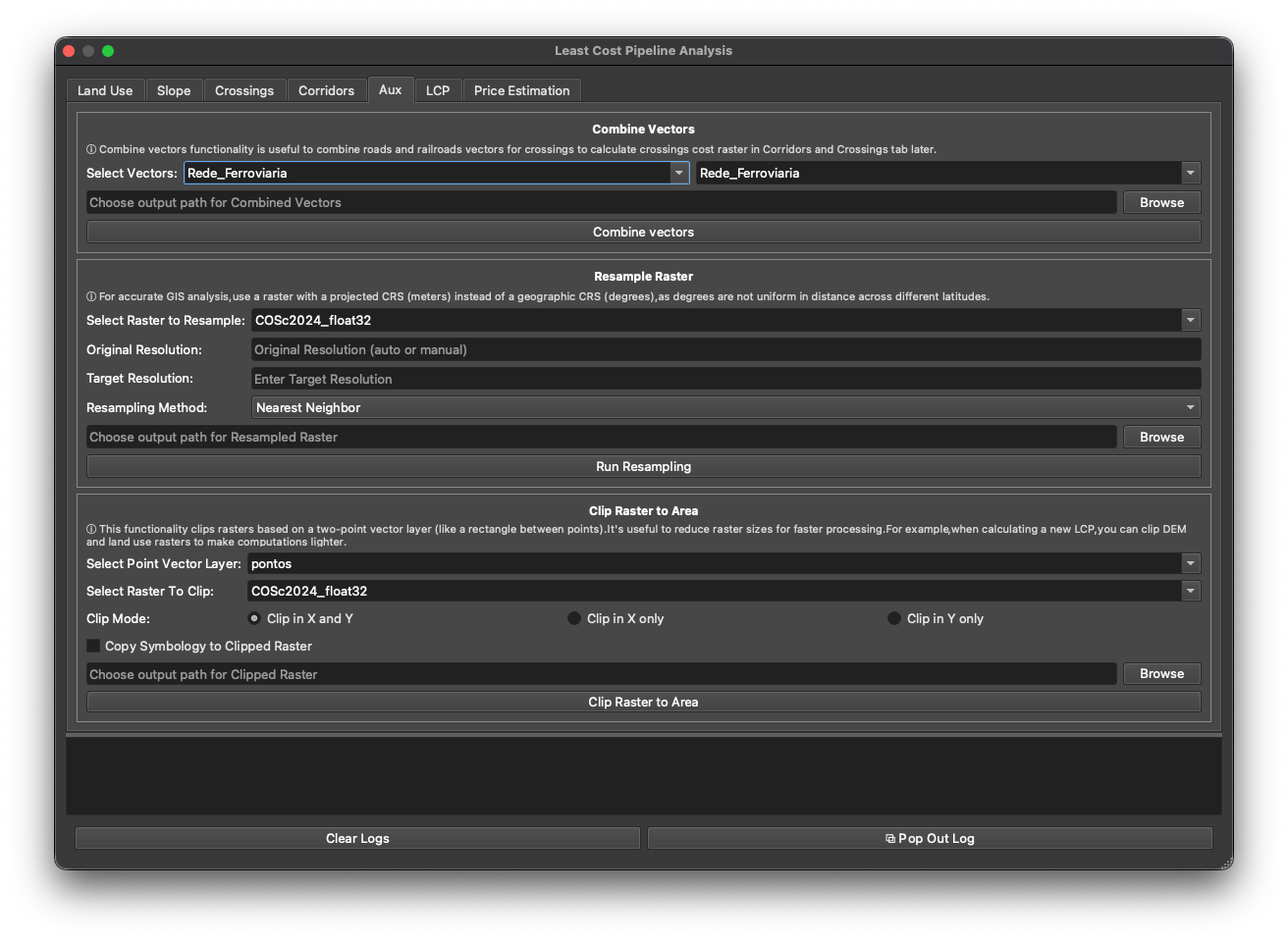
The Aux tab holds three helper tools. None produce a cost factor — they prepare data and make the rest of the workflow faster.
Combine Vectors
Merge two vector layers into one — typically the road and railway networks — so the Crossings tab can treat them together. Pick the two layers in Select Vectors, choose an output path, and click Combine vectors.
Resample Raster
Change a raster’s cell size. Choose the raster, a Target Resolution, and a Resampling Method:
- Nearest Neighbor — for categorical data (land use); preserves class values.
- Bilinear / Cubic / Lanczos — for continuous data (a DEM).
Coarser cells mean far fewer cells and much faster routing. Click Run Resampling.
Use a raster in a projected CRS (metres), not geographic (degrees) — degrees aren’t uniform in distance, which would corrupt the cost surface. (The tab reminds you of this inline.)
Clip Raster to Area
Clip a raster to the area around your origin/destination points, so you only process the region you need. Pick a Point Vector Layer (two points) and the Raster To Clip, choose a Clip Mode (Clip in X and Y / X only / Y only), optionally Copy Symbology, and click Clip Raster to Area.
Clipping the DEM and land-use rasters to the corridor of interest is the easiest way to make a heavy LCP run lighter — see precise vs fast mode for why size matters.
Next: LCP.