The workflow
Slope (Fs)
Derive a slope raster from a DEM, then turn it into the slope cost factor.
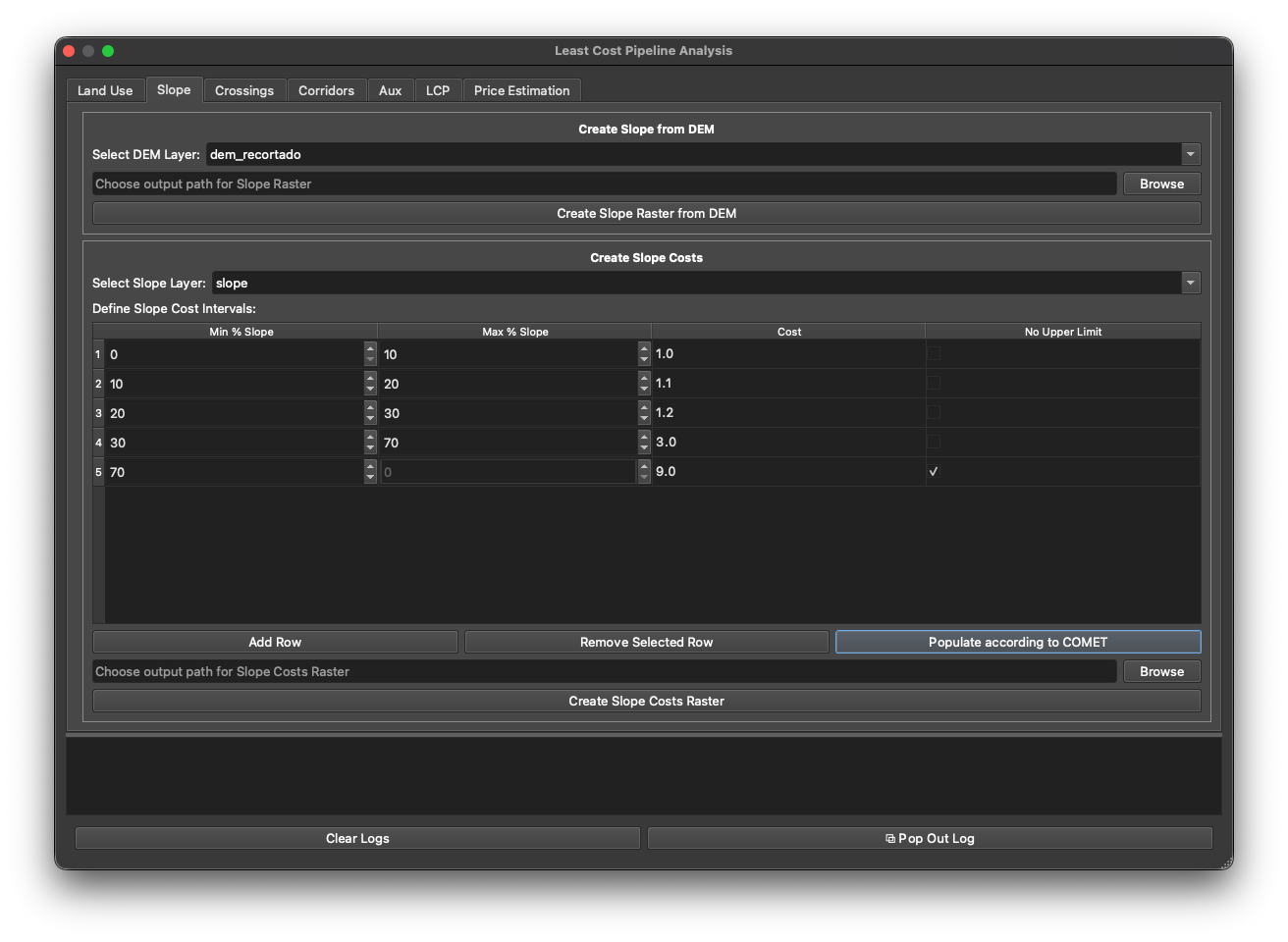
The Slope tab produces the Fs cost factor in two steps: first a slope raster from a DEM, then a cost reclassification.
Step 1 — Create Slope from DEM
- Select DEM Layer, then click Create Slope Raster from DEM.
- Slope is computed in percent. The DEM must be in a projected CRS with consistent horizontal/vertical units, or the slope is meaningless.
Step 2 — Create Slope Costs
- Select Slope Layer (the raster from step 1).
- Edit the cost-interval table — columns Min % Slope, Max % Slope, Cost, and No Upper Limit for the open-ended top band. Use Add Row / Remove Selected Row, or click Populate according to COMET.
- Click Create Slope Costs Raster → the
Fsraster.
The COMET slope values are in Cost-factor tables.
Next: Crossings.